


Templates define whole-page structures. Template parts define shared framing elements such as header, footer, and sidebar.
For personal blogs and travel blogs, these are the two systems that control readability, navigation, and consistency.
Start with core templates
Review and test first:
- Single post
- Archive
- Default page
These have the biggest impact on day-to-day reading experience.
Settle shared parts early
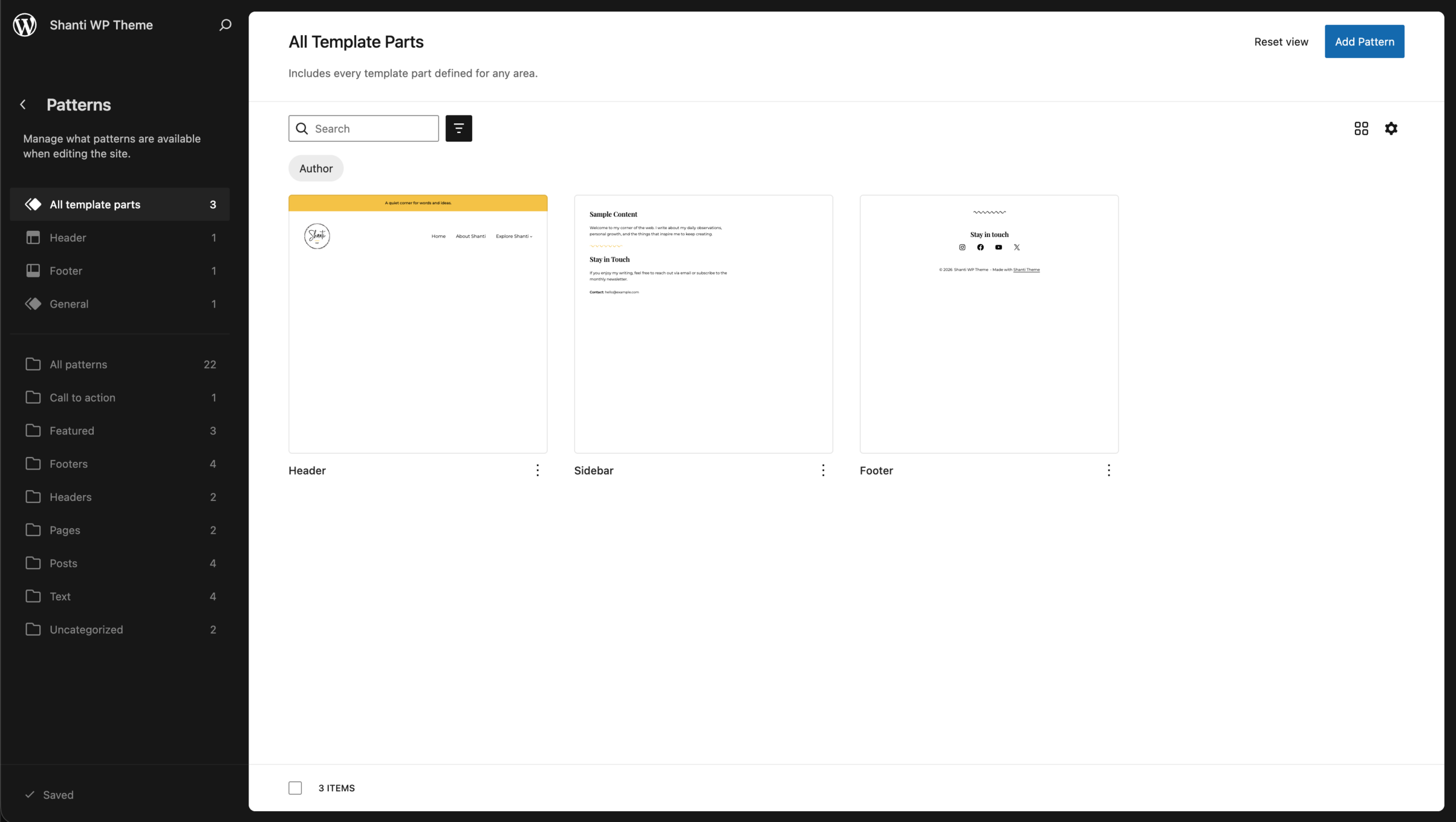
Lock in your baseline:
- Header (branding + navigation)
- Footer (support links + copyright)
- Sidebar (only where needed)
Safe first customizations
Useful edits that rarely break layout:
- Move post meta position
- Adjust spacing around title/content
- Simplify footer block structure
- Reorder non-critical blocks
Use page templates with intent
Shanti includes page-specific templates. Use each for a clear reason:
- Sidebar page
- No-title page
- Transparent-header page
- Blank page
Final pre-launch check
- Test mobile spacing and menu behavior
- Verify template consistency
- Confirm post navigation and category/tag links
- Check archive readability
Template work should improve flow and readability, not compete with the content.


Leave a Reply